 By
By Tesco Mobile is offering £5 worth of Clubcard points when you sign up on their ‘£15 Pay as you go Essentials’ bundle.
 If you’re looking to sign up for Tesco Mobile’s new Pay As You Go service, you can currently get £5 worth of Clubcard points when you sign up on their 25GB Pay as you go Essentials plan.
Available for £15 per month with no contract and no need for a credit check, this plan gives you access to 99% population coverage across the UK. You also get inclusive EU roaming, allowing you to use your mobile phone abroad in 48 destinations at no extra cost.
In this article, we’ll look at Tesco Mobile’s 25GB Essentials plan and the current offer that allows you to get £5 worth of Clubcard points for signing up. We’ll also look at the features included on the plan, and how you can keep your current phone number when moving to the deal.
25GB Pay as you go Essentials Deal
 As a special offer this January, Tesco Mobile is offering £5 worth of Clubcard points as a sign-up bonus for customers choosing their 25GB Pay as you go Essentials deal.
This new offer is available for £15 per month with no contract and no need for a credit check. This means you can use it in your mobile phone without any long-term commitments. You can also easily change or cancel your plan at any time.
| Network | Data | Monthly Cost | |
|---|---|---|---|

| 25GB data | £15.00 per month No contract | See deal |
The special ‘£5 worth of Clubcard points’ offer ends on the 1st February 2026.
How much is 25GB of data?
For most users, we’d recommend choosing the 25GB plan on Tesco Mobile’s Pay as you go Essentials. It has the right amount of data for most people.
According to Ofcom (the UK’s telecommunications regulator), the average UK mobile user consumed 10.6GB data per month in 2024. This was an increase of 7%, compared to the year before that. Projecting forward, this means the average data usage today is probably more like 12GB per month, meaning the 25GB allowance should be ample for most users.
If you’re a light mobile user, you can also consider Tesco’s cheaper plans with either 500MB data or 10GB data per month. However, you won’t get the £5 worth of Clubcard points when you sign up on these deals.
How do I use the £5 of Clubcard points?
Once you’ve signed up to this deal and provided your Clubcard number, you’ll receive your 500 Clubcard points as a bonus within 30 days. On your next Clubcard statement date, those will be converted into a £5 voucher for Tesco (or you can double them up for a £10 voucher to spend at Tesco’s Reward Partners, such as restaurants and days out).
What else is included?
 Your 25GB Pay as you go Essentials deal also includes all of the following features:
- Unlimited UK minutes & texts. Your plan comes with unlimited UK minutes and unlimited UK texts, so you can call and text as much as you like, within the UK.
- 99% coverage from O2. You’ll get 99% network coverage in the UK, powered by the O2 network. You can check the coverage in your area on Tesco Mobile’s coverage map.
- Access to 5G coverage. As long as you have a 5G-ready phone, you’ll be able to access Tesco Mobile’s 5G coverage. This gives you a faster and a more responsive experience, compared to using 4G coverage on its own.
- Roam in 48 destinations at no extra cost. You’ll be able to use the allowances from your plan at no extra cost in 48 ‘Home From Home’ destinations.
- Earn Clubcard points. You’ll earn 1 Clubcard point for every £1 that you spend on Tesco’s Pay As You Go service. This is on top of the £5 worth of Clubcard points that you’ll get for signing up.
Keeping Your Phone Number
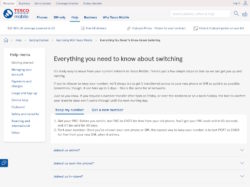 If you’re switching from another UK mobile network to Tesco Mobile’s Pay as you Go Essentials, it’s easy to keep your current phone number.
Start by getting a PAC Code from your current mobile network. You can get one by contacting your current mobile network, or by texting PAC to 65075. Once you’ve done that, you can order your SIM from the Tesco Mobile website.
Once your new Tesco Mobile SIM card arrives, text PORT to 23424. You can then follow the instructions provided to get your phone number moved over.
For step-by-step instructions on how to transfer your phone number to Tesco Mobile, please select your current mobile network from the drop-down menu below:
More Information
For more information about Tesco Mobile’s Pay as you go Essentials offer, please see their official website.
Your Comments
We'd love to hear your thoughts and any questions you may have. You can add your own comment here.